
USE CASES / VETERANS RECORDS AI FORM FILLER
Fill Veterans Records Forms Faster and Get Your DD-214 Without the Back and Forth
Almost everything a veteran needs to prove starts with a document they no longer have. Simplicity AI fills the SF-180 that requests it, then carries the same service details onto the forms that come after, so a preference claim or a correction does not start from a blank page.
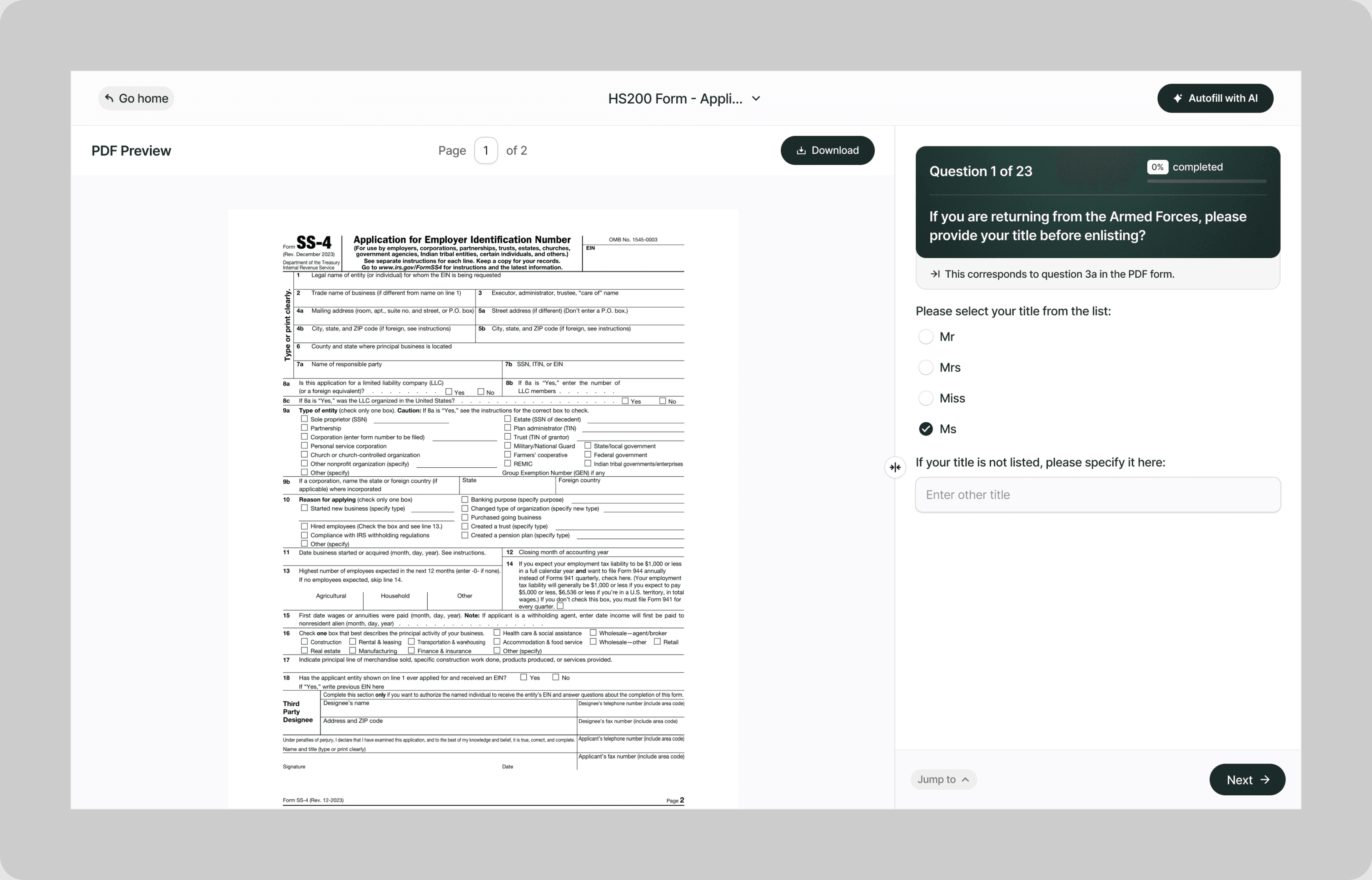
A DD-214 is the document that unlocks almost everything else, from a federal job preference to a correction of the record itself. It is also the document most likely to have been lost across a few decades and a few moves, which is why the request form for it is where so much veteran paperwork actually begins.
Simplicity AI reads each form and turns it into plain questions. Your service details go in once and carry onto everything that asks for them again, so the branch, the dates and the service number stay the same across every request you make.
The Problem with Veterans Records Forms
- The paperwork is short. Getting it accepted is the difficult part:
- Most of what you need starts with a document you no longer have a copy of
- The request has to be signed by the veteran, or by a next of kin who meets a specific definition
- Requests for military personnel records cannot be accepted by email, so the signed paper has to travel
- Original documents you send in with a request are not returned to you
None of it is complicated. It is that a request which is not exactly right cannot be fixed with a follow-up email, because the follow-up email is not accepted either.
How Simplicity AI Solves It
- Simplicity AI treats a records request as the start of a sequence rather than a one-off form. The AI:
- Works out whether you can use the online route before walking you through a mail-in form
- Holds your service details once, so the branch, dates and service number never vary between forms
- Tells you which forms need a signature from the veteran and which accept a next of kin
- Flags the deadline that decides between a discharge review and a record correction
- Exports a clean, signed PDF ready to print and post, because these forms do not travel by email
How to Fill Out Veterans Records Forms Online Using Simplicity AI
1
Tell Simplicity AI which record you need, or upload the form if you already know which one applies.
2
Enter the service details once: the name as it appears in the record, the service number or Social Security number, the branch, and the dates of service.
3
Answer the questions the form asks, in plain English rather than in agency wording.
4
Sign and date it yourself, because Standard Form 180 has to carry the signature of the veteran or the next of kin.
5
Print it and send it by mail or by fax. These requests are not accepted by email, so a PDF attachment will not reach anybody.
Key Benefits of Using Simplicity AI to Fill Veterans Records Forms

One Set of Service Details
Your branch, your dates, your service number. Entered once and repeated exactly, because a request that disagrees with the record it is asking for is a request that comes back.

The Right Form for the Right Deadline
A discharge review and a record correction are different forms with different windows. Simplicity AI asks when you separated and answers the question for you.

Signed and Ready to Post
These forms travel on paper. Simplicity AI exports a clean, signed PDF laid out for printing, so what leaves your printer is what the archive expects.

A Copy of What You Sent
Records requests take time, and a follow-up is easier when you can see exactly what you asked for and when. Every completed form exports as a PDF you keep.
Start with the record, because everything else you are owed depends on it.
[!! ƑÅǪş !!]
Frequently Asked Questions About Filling Veterans Records Forms with AI
Should I use Standard Form 180 or request online?
The National Archives points people to its online system first, and asks users to verify their identity through the third party service ID.me when submitting a new request. Standard Form 180 is the route for requests that cannot go online, and government agencies and routine users submit either a completed SF-180 or an official letterhead detailing the subject and purpose.
Who is allowed to request a veteran’s records?
The veteran, or next of kin. Next of kin has a specific meaning here and covers a surviving spouse who has not remarried, parents, and adult children or siblings. Anyone outside that list is treated as a member of the general public.
When do military records become public?
Sixty two years after the service member’s separation from the military. After that point anyone may request them, for a copying fee.
Can I email my Standard Form 180?
No. Requests for military personnel records cannot be accepted by email. The form goes by mail or by fax, and it has to be signed and dated by the veteran or the next of kin.
Should I send original documents with my request?
Think hard before you do. The National Archives states that original documents submitted with your request will not be returned. Send photocopies unless something specifically calls for an original.
What is the difference between DD Form 149 and DD Form 293?
DD Form 149 asks a board to correct an error or an injustice in the record itself. DD Form 293 challenges how a discharge was characterized. For most people the deadline settles it, because a DD Form 293 has to be filed within fifteen years of separation and after that the route is DD Form 149.
How do I get my DD-214 corrected?
Through DD Form 149, rather than by asking for a DD Form 215. The National Archives no longer creates a DD Form 215 to make corrections to the DD-214, because Department of Defense guidance now requires corrections to be created and transmitted electronically.
Is my data safe on Simplicity AI?
Yes. These forms carry your service number, your dates of service, and in some cases the circumstances of your discharge. Simplicity AI encrypts your files, controls who can access them, and never shares your documents or uses your data to train AI models.
Common Veterans Records Form Mistakes (and How AI Prevents Them)
Sending your original discharge papers
Original documents submitted with a request are not returned. If the copy you post is the only one you own, that is the end of it, so send photocopies unless a form specifically asks for an original.
Emailing the request
Requests for military personnel records cannot be accepted by email, which means a scanned signature attached to a message goes nowhere. The signed paper has to travel by mail or by fax.
Sending a Standard Form 180 that nobody signed
It has to be signed and dated by the veteran or by the next of kin. An unsigned form is not a slow request, it is not a request at all, and nothing will tell you so for weeks.
Requesting as next of kin without qualifying as one
Next of kin has a defined meaning: a surviving spouse who has not remarried, a parent, an adult child or an adult sibling. A cousin or a family friend is treated as a member of the general public, with the access that comes with that.
Filing a DD Form 293 more than fifteen years after separation
That window closes at fifteen years, and a 293 filed after it is effort spent on the wrong form. The route at that point is DD Form 149.
Waiting for a DD Form 215 that is not coming
The National Archives no longer creates a DD Form 215 to correct a DD-214, because corrections are now made and transmitted electronically. A correction goes through DD Form 149 instead.
Starting with Standard Form 15 before you hold the DD-214
SF-15 requires a DD-214 or an equivalent separation document. The form itself warns that failure to provide any part of the information may result in a ruling that you are not eligible for ten point veterans preference.

Homebuyer and mortgage form AI filler
Ƥōƥũĺàŕ Ƒōŕmś
Ƥōƥũĺàŕ ƒōŕmś ŕēàďŷ ƒōŕ ŷōũ ţō ƒĩĺĺ Ĩńśţàńţĺŷ
Ƒĩńď ćōmmōńĺŷ ũśēď ĝōvēŕńmēńţ, ĺēĝàĺ, àńď ōƒƒĩćĩàĺ ďōćũmēńţś, àĺŕēàďŷ ōƥţĩmĩźēď ƒōŕ ƒàśţ, śţŕēśś-ƒŕēē ƒĩĺĺĩńĝ ŵĩţĥ Śĩmƥĺĩćĩţŷ ÀĨ. Ŵē'vē màďē ţĥēm ēàśĩēŕ, śmàŕţēŕ, àńď ƒàśţēŕ śō ŷōũ ćàń mōvē ōń ŵĩţĥ ŷōũŕ ďàŷ.
Ţàx Ƒōŕmś
Ĩmmĩĝŕàţĩōń Ƒōŕmś
Ĥēàĺţĥćàŕē Ƒōŕmś
Ēmƥĺōŷmēńţ Ƒōŕmś
Ĺēĝàĺ Ƒōŕmś
Mōţōŕ Vēĥĩćĺē Ƒōŕmś
Ēxƥēŕĩēńćē ĩńśţàńţ ƤĎƑ ƒōŕm ƒĩĺĺĩńĝ ŵĩţĥ ÀĨ
Ďēvēĺōƥēŕś
